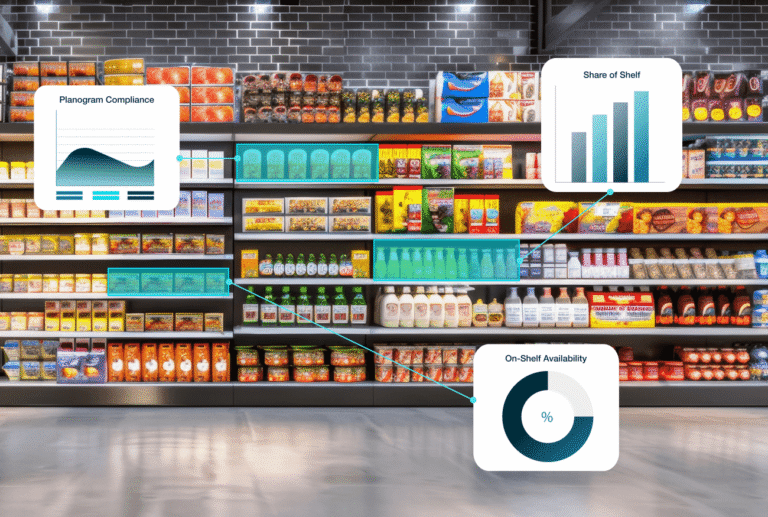


Headquarters spends months (and often millions) engineering the perfect shelf strategy. Planograms get built. Trade agreements get signed. Promotions get funded. Then those plans hit the physical store, and execution fractures. Products land on the wrong shelf, displays go up late or not at all, or maybe, a rep marks the audit complete because they were in a hurry.
Whatever the case may be, that gap between corporate strategy and in-store reality has a real cost. When brands lack true visibility into what’s happening at the shelf level, trade spend gets wasted on placements that never happened, out-of-stocks multiply quietly across hundreds of locations, and growth marketers are left trying to build pricing models with data they can’t trust.
Planogram compliance software exists to close that gap — giving teams undeniable “truth from the field” that connects what was planned to what actually happened. This article covers what compliance means at scale, where manual audits fall short, how AI has changed the execution playbook, and what features to look for in modern retail execution tools.
What is planogram compliance, and why does it matter?
To understand planogram compliance, it helps to start with the basics: what is a planogram in retail?
A planogram is a visual blueprint that defines how products should be arranged on retail shelves — specifying which Stock Keeping Units (SKUs) go where, how shelf space is allocated between products, what pricing should be, and how promotional displays should look. These shelf layouts are carefully designed to guide customer flow, maximize visibility for high-priority SKUs, and drive impulse buying.
Planogram compliance refers to the ongoing verification that the real-world shelf matches that blueprint. It confirms that product placement, facing counts, pricing, and promotions are being executed exactly as agreed across every store and every visit.
For most brands operating at scale, compliance failures are one of the most preventable sources of lost revenue. Here’s why each stakeholder feels it differently:
- Trade marketing VPs: If a brand pays for premium shelf space at eye level and ends up on the bottom shelf, the trade investment simply didn’t perform. Compliance is the only mechanism for proving (or disproving) that the spend delivered what was negotiated.
- Sales leaders and CROs: Shelf compliance and revenue are closely correlated. High compliance typically means fewer out-of-stocks, better product visibility, and more impulse purchases captured. Every execution gap is a potential gap in the sales forecast.
- Growth marketers: Promotion modeling depends on knowing whether a promotion was actually running at the store level. Manual audits introduce enough variability that marketers often can’t make data-driven decisions about promotion effectiveness — because they can’t tell if it underperformed due to weak demand or incomplete execution.
- Category managers: Tasked with optimizing assortment to maximize sales, category managers rely on compliance to understand performance. If a planned product mix isn’t executed correctly on the floor, they can’t accurately determine whether a SKU underperformed due to a lack of shopper demand or poor shelf placement.
Effective planogram compliance provides all three teams with a single source of truth — and the ability to act on it.
How software and AI image recognition automate compliance
Traditional compliance checks put the burden entirely on the rep: manually count facings, enter numbers into a form, snap a photo for reference, and move on. It’s slow, it’s inconsistent, and it’s easy to rush through when you have six more stores to visit before the day ends.
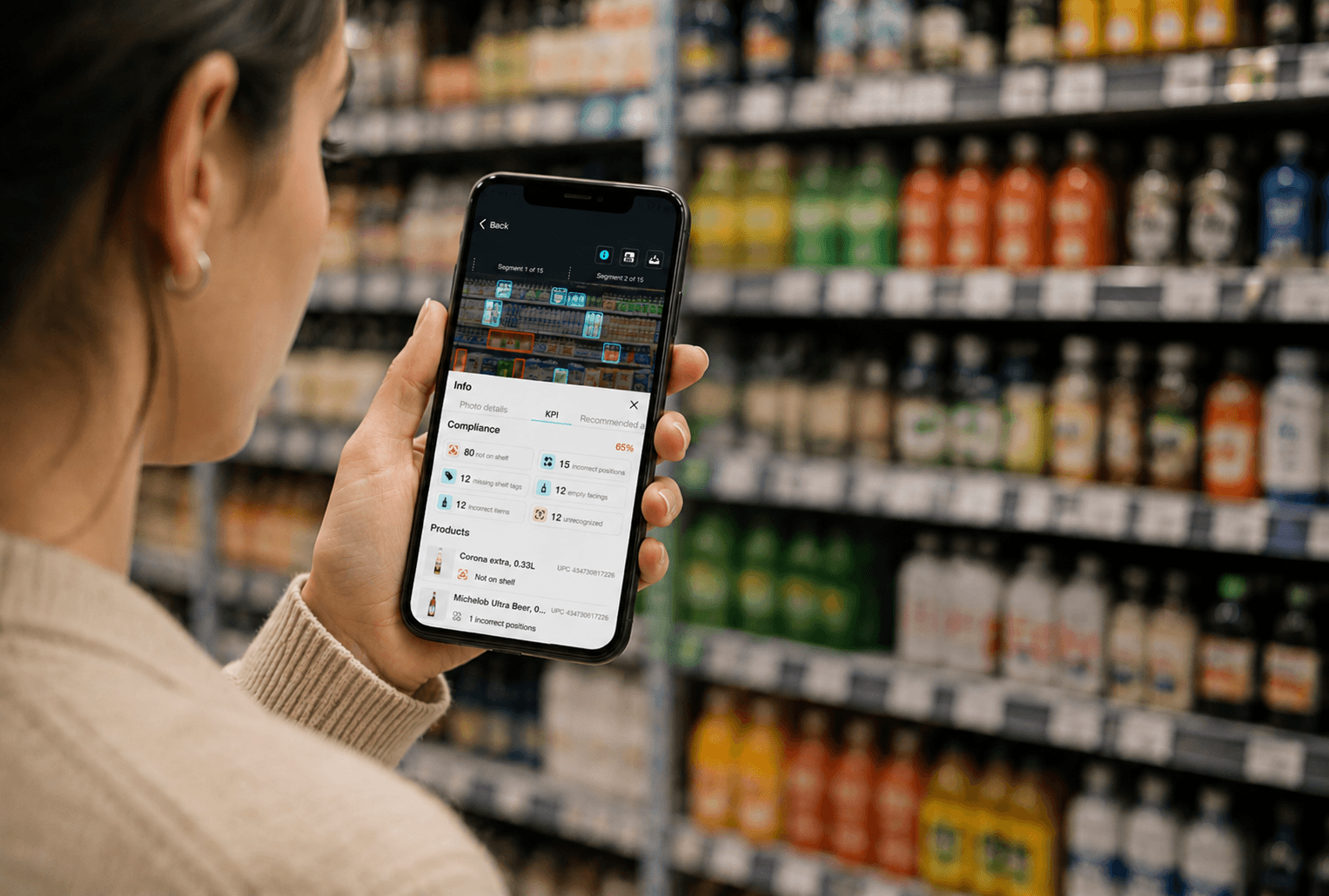
Modern planogram compliance software shifts that burden to AI, turning a quick photo into an instant, validated audit. Here’s how the workflow typically looks with tools like GoSpotCheck by FORM.
- Instant sales data capture: The field rep opens the app and uses guided capture to photograph the retail shelves. No manual counting, no spreadsheet entry — just a photo taken in seconds, even in narrow aisles or low lighting.
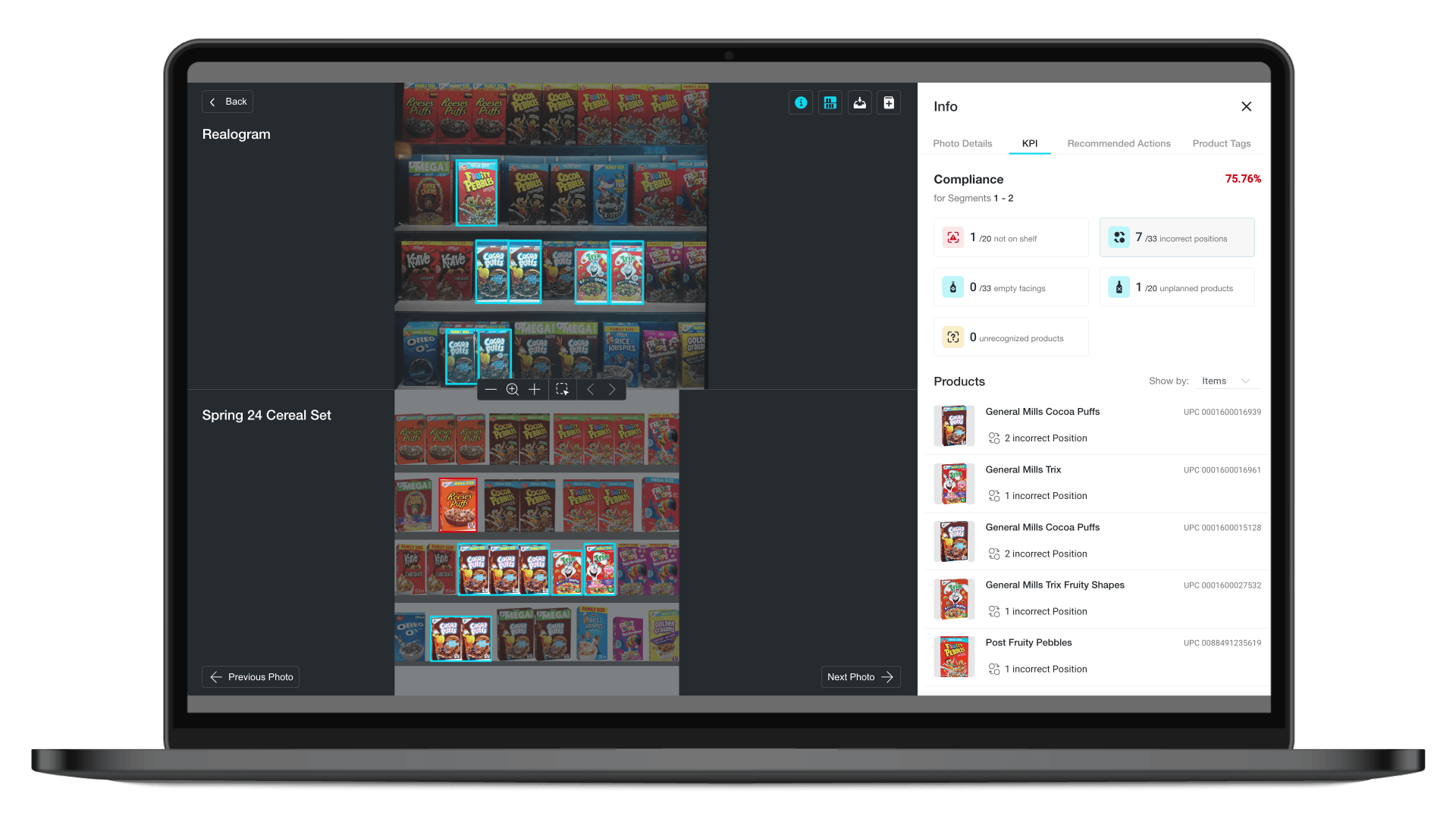
- AI-driven comparison: The software’s image recognition (IR) engine analyzes the photo immediately, identifying each SKU present on the shelf and comparing that against the digital planogram on file. It detects product position, facing counts, pricing labels, and promotional signage — all at once.
- Real-time validation: While the rep is still standing in the aisle, the system flags any discrepancies it finds: a missing SKU, an incorrect adjacency, a competitor product encroaching on contracted space, or a price tag that doesn’t match.
- Actionable correction: Rather than logging an issue for someone to review later, the software generates an immediate task — directing the rep to pull backstock, fix the display, or alert the store manager before leaving the location. Issues that once fell through the cracks of manual inventory management get resolved during the same visit they’re discovered.
This closed-loop approach transforms audits from passive data collection into active execution management.
Manual compliance checks vs. planogram compliance software
Clipboards and spreadsheets were once the standard for in-store retail auditing. Today, they’re often more liability than asset. Relying solely on manual effort creates blind spots that erode data integrity and bloat the amount of time reps spend on administrative tasks instead of selling.
The table below compares the two approaches across the metrics that matter most to VPs and CROs:
| Manual audits | Planogram compliance software | |
| Data accuracy | Prone to “pencil whipping” and human error; subjective and inconsistent across reps | AI-validated data with a photo record; consistent across every location and every visit |
| Rep efficiency | 30–45 minutes per category audit; time consumed by data entry | Shelf captured in minutes; reps spend more time selling and fixing issues |
| Visibility | Delayed, disjointed reporting that may arrive days after a store visit | Real-time dashboards with geographic performance views, available minutes after capture |
| Issue resolution | Problems surface in the next reporting cycle — often too late to act | Discrepancies flagged in-store, corrective tasks assigned before the rep leaves |
Relying on manual checks at scale caps how many locations you can realistically monitor without adding headcount. Planogram software removes that ceiling, giving brands the operational reach to maintain a consistent shopping experience and brand standards across thousands of store locations without proportionally growing the field team.
Core features of top planogram compliance software
Not every retail planogram tool is built for the demands of enterprise-scale compliance. If your brand operates across dozens of retailers and hundreds of locations, the software you choose needs to perform reliably in the real-world conditions your reps face daily. Here are the capabilities that separate leading solutions from the rest:
- Advanced image recognition: The IR engine needs to accurately identify complex SKUs, handle varying packaging (seasonal, promotional, regional), and process dense shelf space quickly. Speed and accuracy here directly determine how useful the resulting data is.
- Picture-to-planogram capabilities: The most effective tools go beyond just auditing existing sets–they actually help you build them. Look for software that lets you transform pictures of your “perfect shelf” into digital blueprints, streamlining planogram management to your field teams.
- Offline functionality: Internet connectivity in big-box retail stores is notoriously unreliable. Reps should be able to capture photos and complete full audits offline, with data syncing automatically once the connection is restored. That way, a spotty signal never becomes a missed audit.
- Dynamic, task-based workflows: The best tools don’t just surface compliance gaps; they act on them automatically. Look for software that triggers corrective tasks based on the specific failure detected — like automatically generating a restock request when an out-of-stock condition is detected.
- Executive analytics and dashboards: Store-level photo data is only useful if leadership can make sense of it at scale. The platform should roll up compliance scores by region, retailer, and time period — giving VPs and CROs the macro-level visibility to spot trends and course-correct before issues compound.
- Photo reporting and audit trails: Visual confirmation matters, both for internal accountability and for managing retailer relationships. A searchable photo library, organized by location, campaign, or product category, gives teams a reliable record of visual merchandising execution that can support trade negotiations or dispute resolution.
The ROI of automated retail execution
So, should you invest in planogram compliance software? The answer really comes down to three levers: reclaiming wasted trade spend, accelerating revenue through better shelf availability, and reducing the administrative burden on your field team.
- When compliance is validated in real time… every dollar invested in trade promotions has a verifiable outcome.
- When out-of-stocks are caught and corrected during the same store visit… You improve inventory turnover and stop losing sales to empty shelves.
- When reps spend minutes on audits instead of hours… they have more time for the selling activities that drive store performance.
Ready to see what that looks like in practice? GoSpotCheck by FORM has helped leading CPG and beverage brands, like Dole, close the execution gap at scale — improving compliance rates, recovering lost revenue, and giving field teams the tools to work smarter at every account.
Explore the case studies to see real results, or see GoSpotCheck in action.