Getting a new product onto grocery shelves takes far more than a great recipe. Before your item reaches a shopper, retailers expect its data in their systems, a slot in their category review calendar, a distribution plan, and budget for free-fill, promotions and sampling. Miss one of those and a launch can slip by months.
This guide breaks down the steps suppliers and distributors typically follow to launch a new FMCG product in the market, from retailer database setup to confirming execution in stores and tracking performance after launch day.
Key Takeaways
- Upload product data to each retailer’s PIM database before you pitch; buyers may not consider an item until it’s there.
- Category reviews may happen only once a year, so learn each retailer’s timing and paperwork early.
- Budget beyond production: free-fill, a year of promotional discounts, off-shelf placement and sampling are often expected for new items.
- Launch day is a checkpoint, not the finish line. Verify stock, pricing, shelf position and signage in stores, then track results and fix gaps fast.
What Is an FMCG Product?
An FMCG product, or fast-moving consumer good, is an everyday item that sells quickly at a relatively low price, such as packaged food, beverages, toiletries and household cleaning products. Because shoppers buy these items often, FMCG brands compete on shelf availability, price and visibility, which makes retail execution central to every launch.
These products are used up or replaced quickly, so they move through retailers in high volumes and often on thin margins. That’s why retailers are selective about which new items earn a spot, and why the launch process below puts so much weight on product data, budgets and in-store follow-through.
Why Does Your FMCG Product Launch Strategy Matter?
It is important to put the time, thought, and work into your new product launch strategy for several reasons – the most important of which is that launching a new product can be costly, and first impressions matter.
By the time you’re ready to begin planning for retail, your team has pored over recipe development, R&D, production logistics, and packaging considerations. To see a sub-par launch after that amount of work would be disappointing both financially and politically inside your business.
Done well, a launch also opens the door to new SKUs and new retailers, which is how brands grow and protect market share in their category. Let’s make sure you have all of your ducks in a row for launch so you can exceed sales expectations from the start.
How Do You Launch a New FMCG Product?
To launch a new FMCG product in the market, upload your product data to each retailer’s PIM database, research its category review process and lock in distribution. Then decide on control labels, budget for free-fill, promotions and sampling, and train store teams. On launch day, confirm execution in stores, then track performance and adjust.
The steps listed below are a set of key tasks that you’ll want to consider in your launch process but are not necessarily an exhaustive list. Each retailer is different, and you’ll run into specific processes at each of them that you may or may not be able to foresee. However, if you keep the following steps in mind, you’ll have built a great foundation for launching your product into retailers, and you’ll be set up well to handle any curveballs that might come your way in the process.
Step 1: Upload Your Product to Retailer PIM Databases
Nearly all large retailers use a standard product data and image database that all suppliers are required to upload product information into before any product is considered to be added to a grocery set. These databases give retailers one place to pull the most up-to-date images and product data from for all of their suppliers.
What you upload travels well beyond the buyer’s desk:
- Images: used in retailer eCommerce programs
- Product data: used in the POS system and on shelf tags
- Ingredients: may show up on allergen signage in the store
Do your research up front, and make sure you understand which databases each retailer that you plan to sell into uses. This is an easy step to get ahead of, and it matters: retail buyers can be hard to reach, and you don’t want your first conversation with them to be a short one:
Buyer: Have you uploaded your product to _______ database?
Seller: No.
Buyer: Do that, and come back to me.
Here are several databases that you might come across:
- IX-One – https://www.ix-one.net/
- Contentserv – https://www.contentserv.com/
- Vesta – https://vesta.us/
- Magnitude Agility – https://www.agilitymultichannel.com/
- Jasper – https://www.jasperpim.com/
- Akeneo – https://www.akeneo.com/
- Censhare – https://www.censhare.com/
- Inriver – https://www.inriver.com/
- Salsify – https://www.salsify.com/
FORM to confirm: this vendor list dates from 2021. Please check each name and link is still current before republishing.
Step 2: Complete Category Review Due Diligence
Once your items are submitted to the PIM, you’ll want to begin research on the category review process for the retailers that you are selling into. If you are launching a new product in addition to a line of products that the retailer already carries, you likely already have an understanding of the category review process. If this is a brand new product, or a new category for your brand, you have some due diligence to complete!
Prior to meeting with the buyer, do your best to get an understanding of the current frequency and timing of category review for your items. It’s not uncommon for category reviews to happen just once per year! Make sure you’re ready for them when it’s your turn.
Every retailer category review is a little different. Use your resources to get an early understanding of what will be asked of you. Ask around with other suppliers and search online to gather as much information as possible about timing and paperwork needed.
Step 3: Finalize Distribution Methods
Having your distribution methods ironed out will be an important step in being onboarded to retailers. Most distribution companies are highly competitive to get new products placed in, and you’ll want to have an early understanding of if your product will be approved to be “slotted in” to a distributor.
If this is out of reach for your brand, you may want to consider DSD (Direct Store Delivery). While this method will require you to coordinate additional logistics, it may be a more realistic way to ensure the right products get to the right store at the right time.
Step 4: Plan for Control Labels
Control Labels and Private Labels refer to when retailers purchase items from suppliers to be sold under a different brand name (often the retailer’s own brand). Control labels can often be beneficial for both parties:
- For the retailer: they get to expand their product offerings under their own brand, generally at a slightly lower price point than “brand name” items.
- For the supplier: increased volume of sales, even though those sales may come at a lower margin.
Prior to launching a new product, suppliers should decide whether they are willing to sell the item to retailers as a control label. This is especially common for fresh or culinary items that require less when it comes to packaging.
If the supplier is open to this, they will also need to prepare for a level of flexibility with the recipe itself, as the retailer may request ingredient changes based on product costs, availability, or production requirements.
Step 5: Create a Free-Fill Budget
Free-fill refers to the amount of product that the supplier or distributor gives to the retailer for free, and is commonly required for new product launches or new store openings.
Retailers see it as a way to limit risk to their Cost of Goods Sold (COGS) – if a new item doesn’t sell well, then they may lose out on potential sales, but at least they haven’t negatively impacted their cost of goods or overall margin because they didn’t pay for the expense of the initial product.
While free-fill can be costly for a supplier or distributor, it is often table stakes for getting a new product onto the shelves. If all else is equal, and the retailer needs to choose between carrying Product A (with free-fill) and Product B (no free-fill), they will choose to carry Product A almost every time.
Step 6: Conduct Comprehensive Promotional Planning
Outside of free-fill, a supplier or distributor should budget in promotional discounts for a full year when launching a new product. While the amount varies heavily by category and retailer, a general rule of thumb is to plan to offer a discount of about 25% for a full promotional period, four times per year. Promotional periods tend to last for either two weeks or four weeks depending on the retailer.
In order to get off-shelf placement, a supplier or distributor should plan additional budget to secure this at key retailers. While the cost of off-shelf placement will vary, a supplier or distributor will likely need to provide additional free-fill, promotional discounts, or pay a cash fee to the retailer to secure placement.
For more, read our guide to building a promotional plan for FMCG products.
Step 7: Plan for Passive Samples and Active Demos
At the time of your product launch, or during the first promotional period for your product, retailers may suggest or require that you provide stores with product for passive samples, or ask you to coordinate active sampling or demo events to support the launch. This helps to remove barriers for shoppers who may be hesitant to break away from their normal purchases to try something new.
If suppliers or distributors are providing product for passive samples to retailers or are coordinating active demos, they should consider this as part of their overall budget for new product launches.
To make the most of that investment, create tiers based on volume or geography to help determine the amount of sampling and demo support that you provide to each location. For example:
- Higher volume stores may receive a higher level of investment than low volume stores.
- If your product is positioned to sell better in urban markets, rural markets may receive less support.
Step 8: Develop Training Materials
No matter how strong your packaging and signage is, your product can’t speak for itself while it’s on the shelf. So, make sure the people who can are well equipped to do so.
Creating easy-to-use training materials for retailers will go a long way towards driving sales for your brand. While it’s true that some retailers may not use branded training materials, they will likely take the training materials that you create to use as a foundation for resources that they create and distribute to their teams.
Here are some things to keep in mind when developing training materials:
- Be concise yet compelling
- Use visuals to help communicate your message
- Clearly state the benefits of your product
- Include statistics from market trends when possible to help tell the story of why this product matters now
- Provide easy-to-repeat talking points about the product that frontline team members will be comfortable communicating to customers
- Show an image of the product itself to make it easy for team members to connect what they see on the sell sheet to the shelf.
Step 9: Confirm Execution in Stores
Ok, you’ve made it to launch day! The hardest work is behind you, but now you need to make sure that all of your plans are being executed exactly as you envisioned them. It’s time to hit the streets, and see how your new product is showing up in stores. When you, your brokers, or your field team visits stores, here are some key things to check for:
| What to check | Question to answer |
|---|---|
| In-Stock Conditions | Are all SKUs in-stock and on the shelf? If not, do they have backstock that you can help stock? |
| Price Tag Execution & Accuracy | Are all price tags present and accurate? |
| POS System Accuracy | When you run the product through the register, is the pricing and data accurate? |
| Shelf Positioning | Does positioning on the shelf match what the retailer agreed to? |
| Off-Shelf Execution | If agreed to for the current promotional period, is it executed as planned? |
| Signage Installation and Conditions | Is all signage installed and up to standard? |
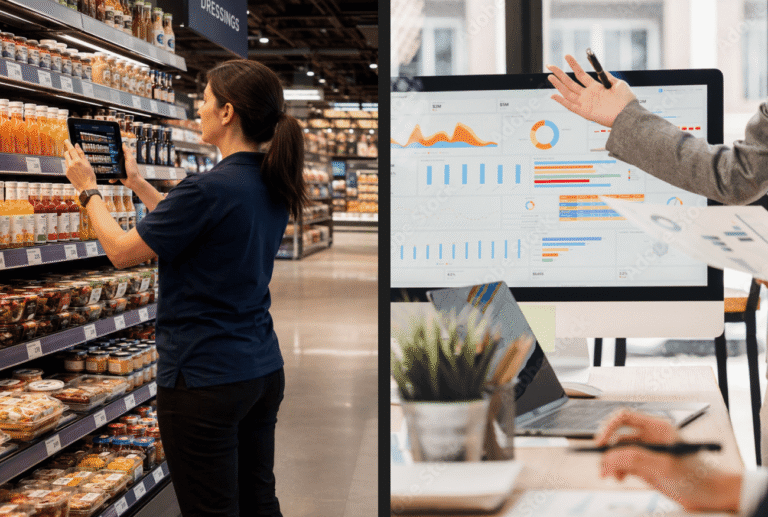
Checking all of this by hand across dozens or hundreds of stores is where many launches lose momentum. Reps fill out paper forms or spreadsheets, photos sit in camera rolls, and by the time results are compiled into a report, a missing display or wrong price tag may already have cost sales.
A mobile retail execution app turns those store visits into structured, real-time data. With GoSpotCheck by FORM, reps can:
- Follow a launch checklist on their phone, store by store
- Capture photo evidence of shelves, displays and signage
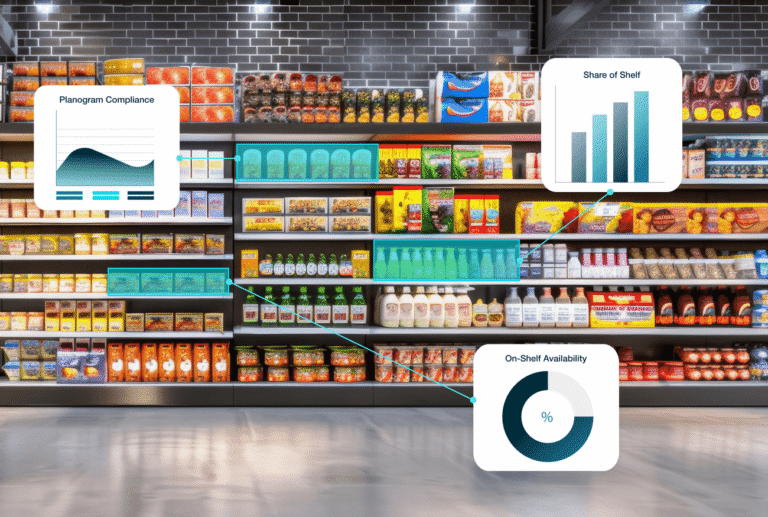
- Use image recognition to spot out-of-stocks and missing SKUs from a single shelf photo
Managers see results as they come in and can send corrective tasks while there is still time to fix them.
To see how this works in practice, take the GoSpotCheck by FORM product tour.
Step 10: Track Performance and Adjust After Launch
A new item’s first months on shelf shape the retailer’s decision to keep it, expand it or cut it at the next category review. Sales data tells you what happened, but by the time it arrives, the cause may be long gone. Pair it with leading indicators that show what’s happening at the shelf right now:
- On-shelf availability: Is the product physically on the shelf, not just in the system or the backroom?
- Distribution: Has the item reached every authorized store? Tracking ACV shows whether you’re present in the stores that drive the most volume.
- Promotional compliance: Did displays, off-shelf placements and promotional pricing go live as agreed?
- Pricing compliance: Do shelf tags match the agreed everyday and promotional prices?
Review these numbers by store and by retailer. If one region lags, check whether the cause is execution, such as voids or missing displays, before deciding the product itself isn’t working.
Share what you find with buyers too: evidence that you’re supporting the launch in stores strengthens your case at the next category review.
Set Up Your Next FMCG Product Launch for Success
Every launch teaches you something about a retailer, a category or a region. Capture it: note what each buyer asked for, which stores executed well and which promotions moved volume, then build that into the plan for your next item.
Brands that launch consistently treat each one as a repeatable process, with clear owners, shared checklists and store-level data everyone can see.
If your team still confirms launches with paper forms and spreadsheets, book a demo to see how GoSpotCheck by FORM can show you what’s happening in every store from day one.
FAQs
What is the difference between FMCG and CPG?
FMCG and CPG are often used interchangeably, and both describe packaged goods sold to consumers through retail. FMCG (fast-moving consumer goods) emphasizes items that sell quickly and are replaced often, like snacks, drinks and toiletries. CPG (consumer packaged goods) is broader and also covers packaged products bought less often. CPG is the more common term in North America.
What are slotting fees?
Slotting fees, also called slotting allowances, are payments a manufacturer makes to a retailer to place a new product on its shelves. They help offset the retailer’s cost and risk of adding an untested item. Amounts vary widely by retailer, category and region, and some retailers negotiate free-fill or promotional support alongside or instead of cash.
How long does it take to launch a new FMCG product?
It depends on the retailer and category. Because many retailers review each category on a fixed schedule, sometimes only once a year, the timing of the next review often sets your launch date. Build in time for PIM setup, buyer meetings, distribution approval and promotional planning, and start conversations well before the review window opens.